

IS IOS 7 BEING LAUNCHED BY APPLE WILL BE A GREAT SUCCESS OR FAILURE ?
So first we discus about the designs. Here a closer look .
1) It has a new structure, applied across the whole system, that brings clarity to the entire experience. The interface is purposely unobtrusive. Conspicuous ornamentation has been stripped away. Unnecessary bars and buttons have been removed. And in taking away design elements that don’t add value, suddenly there’s greater focus on what matters most: your content.
2) It value utility above all else. It don’t add features simply because we can, because it’s technologicathem in a way that makes sense. The new Control Center in iOS 7 is a great example. It gives you one-swipe access to the things you often want to do on a moment’s notice.lly possible. We add features only when they’re truly useful.
3) It value utility above all else. It don’t add features simply because we can, because it’s technologically possible. It has features only when they’re truly useful. And we add them in a way that makes sense. The new Control Center in iOS 7 is a great example. It gives you one-swipe access to the things you often want to do on a moment’s notice.

4) When a product is designed properly — when you don’t have to adapt to the technology because it’salready designed around you — you develop a connection with it. It becomes more to you than just a device. iOS 7 invites that kind of connection. Interactions are dynamic. Animations are cinematic. And the experience is lively and spirited in so many unexpected yet perfectly natural ways. Open the Weather app, for example, and you’ll instantly understand. Hail bounces off text, and fog passes in front of it. Storm clouds come into view with a flash of lightning. And suddenly, checking the weather is like looking out a window.
5) iOS 7 takes full advantage of technologies in iPhone, iPad, and iPod touch to push the iOS experience further. Distinct and functional layers help create depth and establish hierarchy and order. The use of translucency provides a sense of context and place. And new approaches to animation and motion make even the simplest tasks more engaging.
6) There’s a gulf between functional and enjoyable. Between not particularly noticeable and pleasantly memorable. Details bridge this gap. Details are the little things that create delight. The effect is sometimes unperceived, but it is always there, adding up to a consistent experience. And that’s one of the things that makes Apple every bit Apple.
7) With iOS 7, every detail warranted the same rigor toward design. Like refining the typography down to the pixel. Redrawing every icon around a new grid system. And sticking to a precise color palette. On their own, these may not be details you consciously demand or even expect. But they all work together to create a more harmonious relationship between individual elements. And a better, more delightful experience overall.
THIS WAS ALL ABOUT DESIGN AND TALKING ABOUT FEATURES ..........

1) iOS 7 introduces great new features like Control Center, AirDrop for iOS, and smarter multitasking. It also makes the things you do every day even easier, faster, and more enjoyable. And while many of the apps look different, the way you do things feels perfectly familiar. So from day one, you know how to use the world’s most advanced mobile OS.In its most advanced form.
2) Control Center gives you quick access to the controls and apps you always seem to need right this second. Just swipe up from any screen — including the Lock screen — to do things like switch to Airplane mode, turn Wi-Fi on or off, or adjust the brightness of your display. You can even shine a light on things with a new flashlight. Never has one swipe given you so much control.
3) Turn on or off Airplane mode, Wi-Fi, Bluetooth, and Do Not Disturb. Lock your screen’s orientation or adjust its brightness. Play, pause, or skip a song. Connect to AirPlay-enabled devices. And quickly access your flashlight, timer, calculator, and camera.
4) Notification Center lets you know about new mail, missed calls, to-dos that need doing, and more. And a new feature called Today gives you a convenient summary of, well, today. One glance at your iPhone and you’ll know if it’s a certain someone’s birthday, if you’ll need an umbrella, or if traffic will slow down your commute. You’ll even get a heads-up on tomorrow. You can access Notification Center from any screen, including the Lock screen. Just swipe down. And get up to speed.

5) Multitasking has always been a smart way to switch between apps. Now it’s even smarter. Because iOS 7 learns when you like to use your apps and can update your content before you launch them. So if you tend to check your favorite social app at 9:00 a.m. every day, your feed will be ready and waiting for you. That’s multitasking in iOS 7. It knows what you want to do before you do.
A smarter way to multitask.
Press the Home button twice to see preview screens of the apps you have open. To quit an app, just swipe it up and out of preview.
Intelligently scheduled updates.
iOS schedules updates during power-efficient times. Like when your device is on and connected to Wi-Fi. So your battery isn’t drained unnecessarily.
6) Camera in iOS 7 puts all your shooting formats — still, video, panorama, and now square — front and center. With a swipe, you can capture what you want the way you want.1 Fast. And new filters let you do even more with each image. Give it a retro feel. Dial up the contrast.
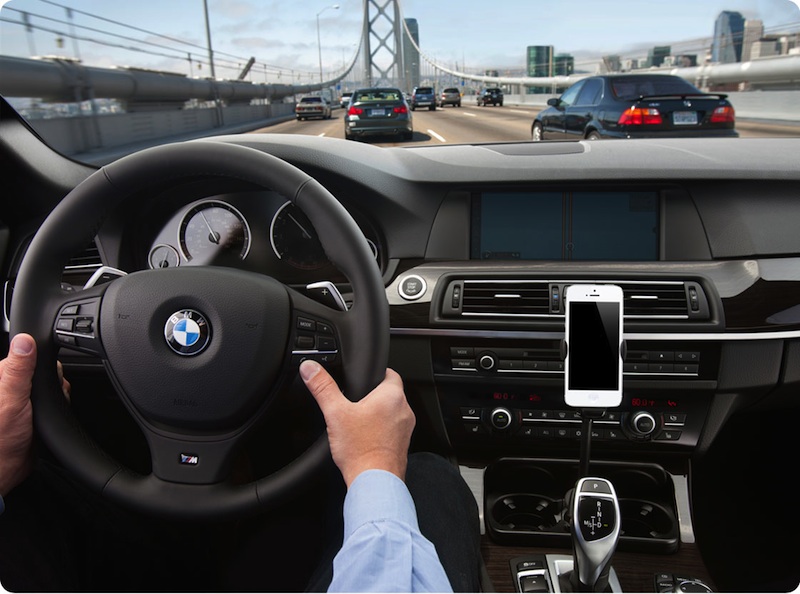 7) You can apply filters to still and square photos. Pick a filter and see the effect before you take the picture. Or just take the shot and apply it later. If you ever change your mind and decide no filter is the best filter, you can simply remove it.
8) Now there are faster, easier, and more delightful ways to scroll down memory lane. Introducing Collections, Moments, and Years — smart groupings of your photos and videos based on time and place. Tap Years and all your shots fill the screen. Each year holds Collections, like your trip to San Francisco. And in that Collection are distinct Moments — photos from Union Square, videos from AT&T Park. So you can find a shot from whenever, wherever, in no time.
9) Sending a photo or a document to someone via text or email is fine. But if that someone is right next to you, a text or an email suddenly feels like too many steps. Enter AirDrop for iOS. It lets you quickly and easily share photos, videos, contacts — and anything else from any app with a Share button. Just tap Share, then select the person you want to share with. AirDrop does the rest using Wi-Fi and Bluetooth. No setup required. And transfers are encrypted, so what you share is highly secure.
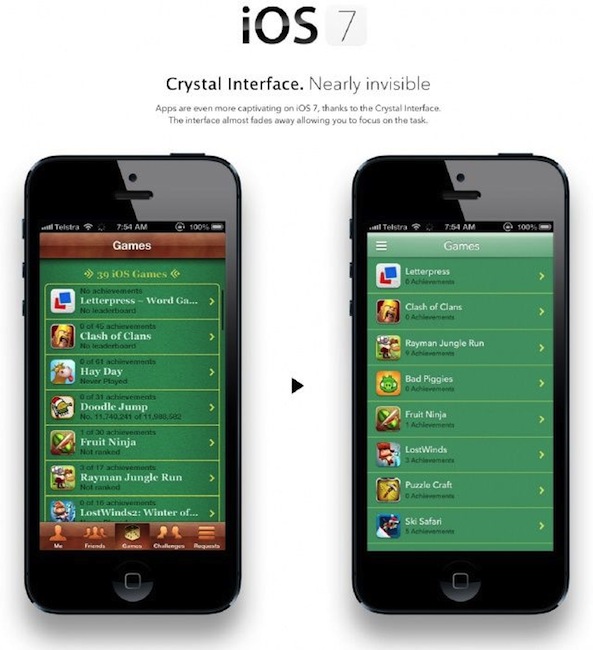 10) Browsing is bigger, better, and more beautiful with Safari in iOS 7. Buttons and bars — like the unified smart search field — stay hidden until you scroll to reveal them. So you see more content than ever on your screen. And with a swipe, you can go back or forward a page. It’s all designed so nothing gets in your way or slows you down.
11) Siri in iOS 7 gets a new look, a new sound, and new capabilities. It features a redesigned interface that fades into view — on top of whatever’s on your screen. A clearer, more natural-sounding female or male voice makes Siri even easier to understand. It’s faster at answering questions and it checks more sources, such as Bing, Wikipedia, and Twitter. And Siri takes on extra tasks, like returning calls, playing voicemail, controlling iTunes Radio, and more.
12) Losing your iPhone feels lousy. Thankfully, Find My iPhone can help you get it back. But if it looks like that’s not going to happen, new security features in iOS 7 make it harder for anyone who’s not you to use or sell your device. Now turning off Find My iPhone or erasing your device requires your Apple ID and password. Find My iPhone can also continue to display a custom message, even after your device is erased. And your Apple ID and password are required before anyone can reactivate it. Which means your iPhone is still your iPhone. No matter where it is.
THERE ARE HUNDREDS OF FEATURES AND CAN'T BE LISTED HERE
SO AT THE END I WOULD SAY APPLE WILL BE THE KING OF THE SMARTPHONE DEVICES.
THANK YOU

No comments:
Post a Comment