
Just like Microsoft Office shows you a list of recent documents you opened, the VLC media player also keeps track of all the recent video and audio files you opened. You can find the list of recent media files in Media > Recent Media.
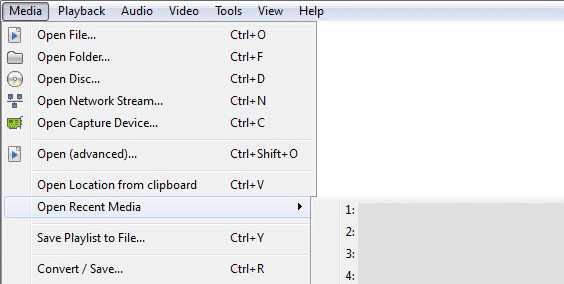
Its a great feature as you can easily open any media file that you played recently. You can also use the shortcuts Ctrl + 1, Ctrl + 2 and so on to open the recently played media files. Note that it will show the media files in the list even if it has been moved or deleted from its original location when it was played. In this case, the VLC player still has it old location in memory and it won’t be able to play the file if you click on it.
Its a great feature as you can easily open any media file that you played recently. You can also use the shortcuts Ctrl + 1, Ctrl + 2 and so on to open the recently played media files. Note that it will show the media files in the list even if it has been moved or deleted from its original location when it was played. In this case, the VLC player still has it old location in memory and it won’t be able to play the file if you click on it.

No comments:
Post a Comment